Objects
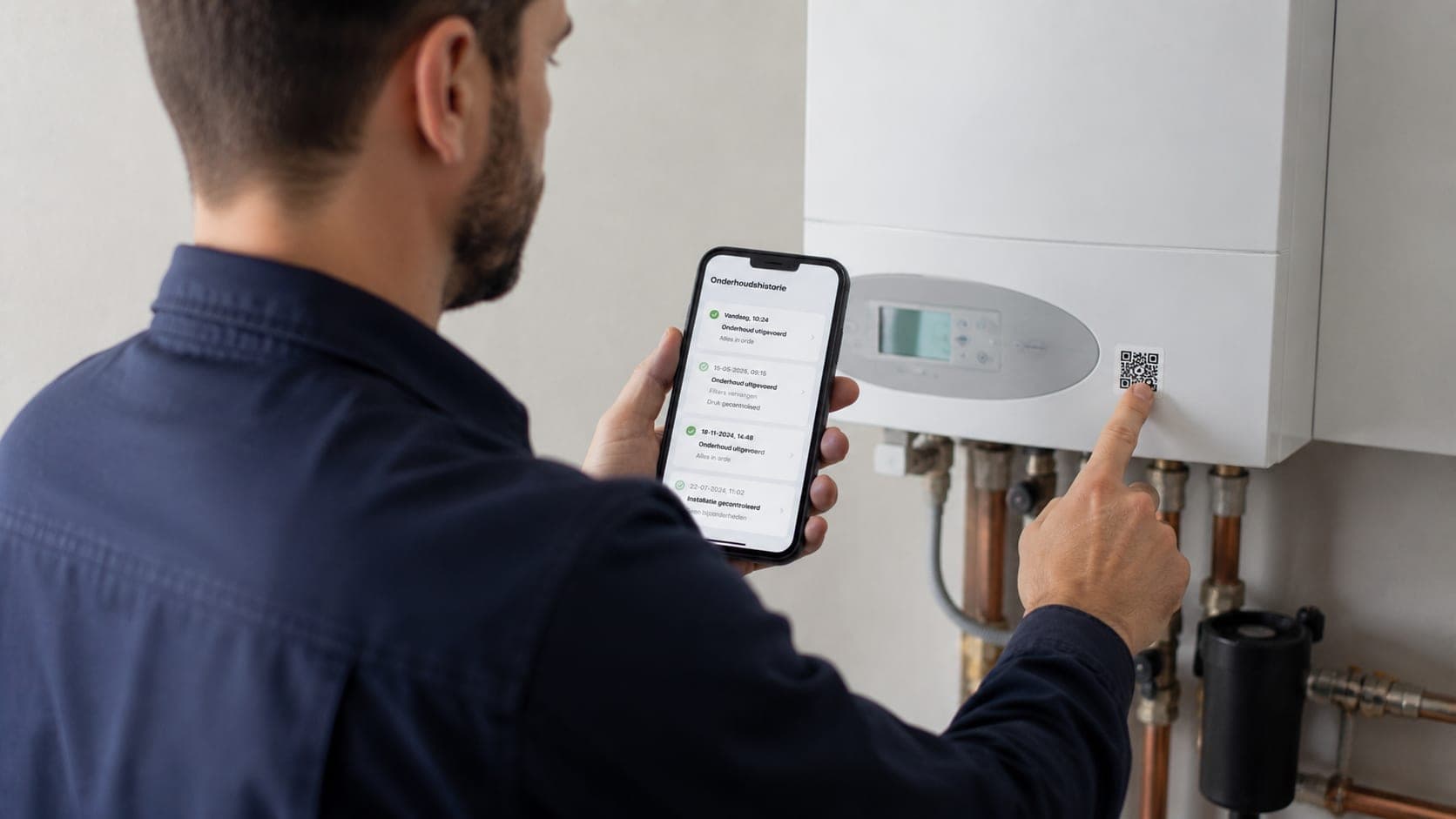
A sticker on every unit, the history behind every scan
When something breaks down you want to know what was done to this unit last time, and not have to dig through a file first. That only works if the history hangs off the unit itself, not off a separate job from six months back.
You record each client's units and installations, each with its own QR sticker. Scan it on site and the maintenance history of exactly that unit opens: what was replaced, when, and by whom.
And because the work is often not at the billing address, you keep work addresses and locations separate from the administration. The boiler stays where it hangs, the invoice goes where it needs to go.
Units per client
Record which installations a client has, each with its own details.
QR sticker on the unit
Stick a sticker on the boiler or installation and link it to the object.
A scan opens the history
One scan on site brings up the complete maintenance history of that unit.
Who did what, when
Every service and replacement stays attached to the unit, even after years.
Work address separate from billing address
The unit sits at the location where it hangs, the invoice goes to the billing address.
Several locations per client
A client with several premises keeps their units neatly separated per address.
Why you want to record your customer's equipment separately
A customer is not one address. A property manager has twenty buildings with three boilers each, a retail chain has an air conditioner and an alarm per branch. With only a customer card, you do not know at a breakdown which unit it is, when it was last inspected and what was replaced then.
In TelMaar you record every unit or installation as its own object, with brand, type, year, serial number and the work address where it sits. That work address is separate from the invoice address, so the invoice goes to head office and the technician drives to the right door.
How a QR sticker on the unit speeds up the work
At the first service you put a sticker with a QR code on the unit. Next time the technician scans the sticker and immediately sees the whole history: earlier work orders, photos, completed checklists and the parts used then. No searching through emails or calling the office.
For the customer it means the maintenance history is complete, even if a different technician ever comes. And for you that the unit itself watches the maintenance schedule: if an annual service is set, the job appears in the planning on time by itself.
Frequently asked questions about this feature
What happens when I scan the QR sticker?
The maintenance history of that specific unit opens: earlier services, replacements and who did the work, without having to search first.
Can a client have several locations?
Yes. You record work addresses and locations separately from the billing address, so units at different premises stay apart.
Does the history stay with the unit when the engineer changes?
Yes. The history hangs off the unit, not off an engineer or a separate job, so it stays complete.
Planning and doing the work
Ready to see how it works for yourself?
Start for free and discover in a few minutes why TelMaar fits your business.
Start for free