Mobile app
Your books fit in your pocket
TelMaar runs on your phone and in the browser. Same books, same data: you finish an invoice on the road that you started on your laptop this morning.
The app runs on iPhone and Android. Prefer your laptop? The same books are waiting in the browser.
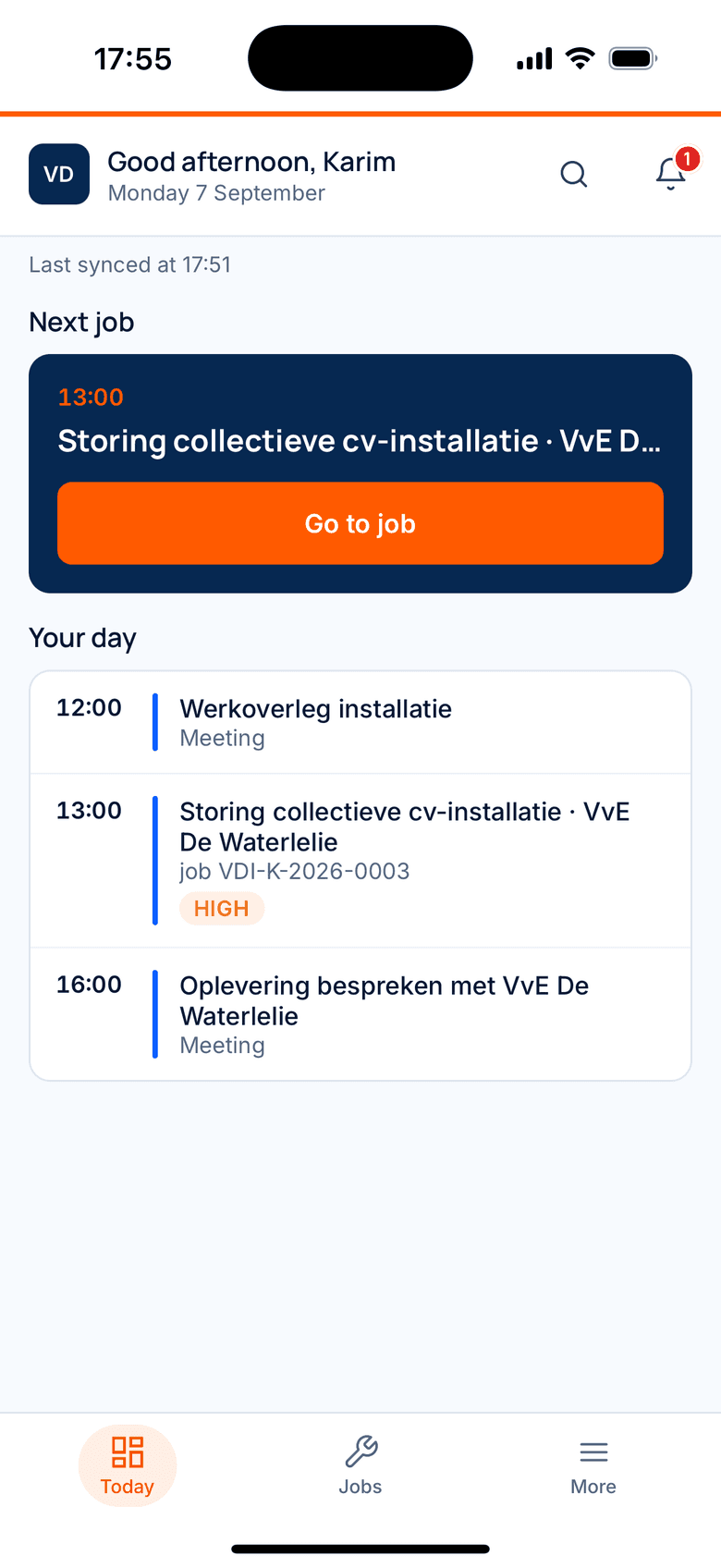
How a job runs on your phone
These are the real screens from the app. From the calendar in the morning to the invoice that goes out the same day, without retyping anything.
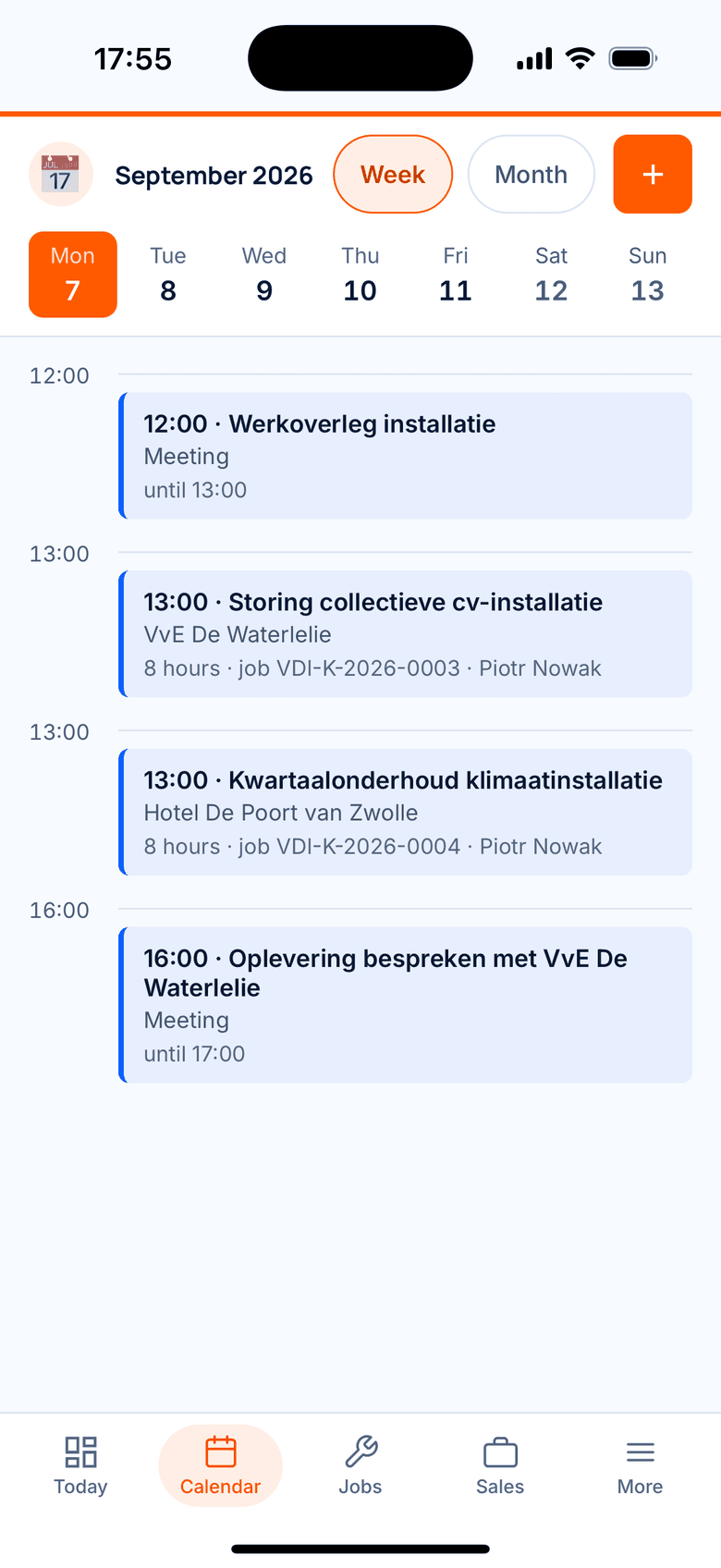
1Planning
Who is where, and when
The calendar lists the appointments for the day. When the office slots in an emergency job, it is on the engineer's phone right away.
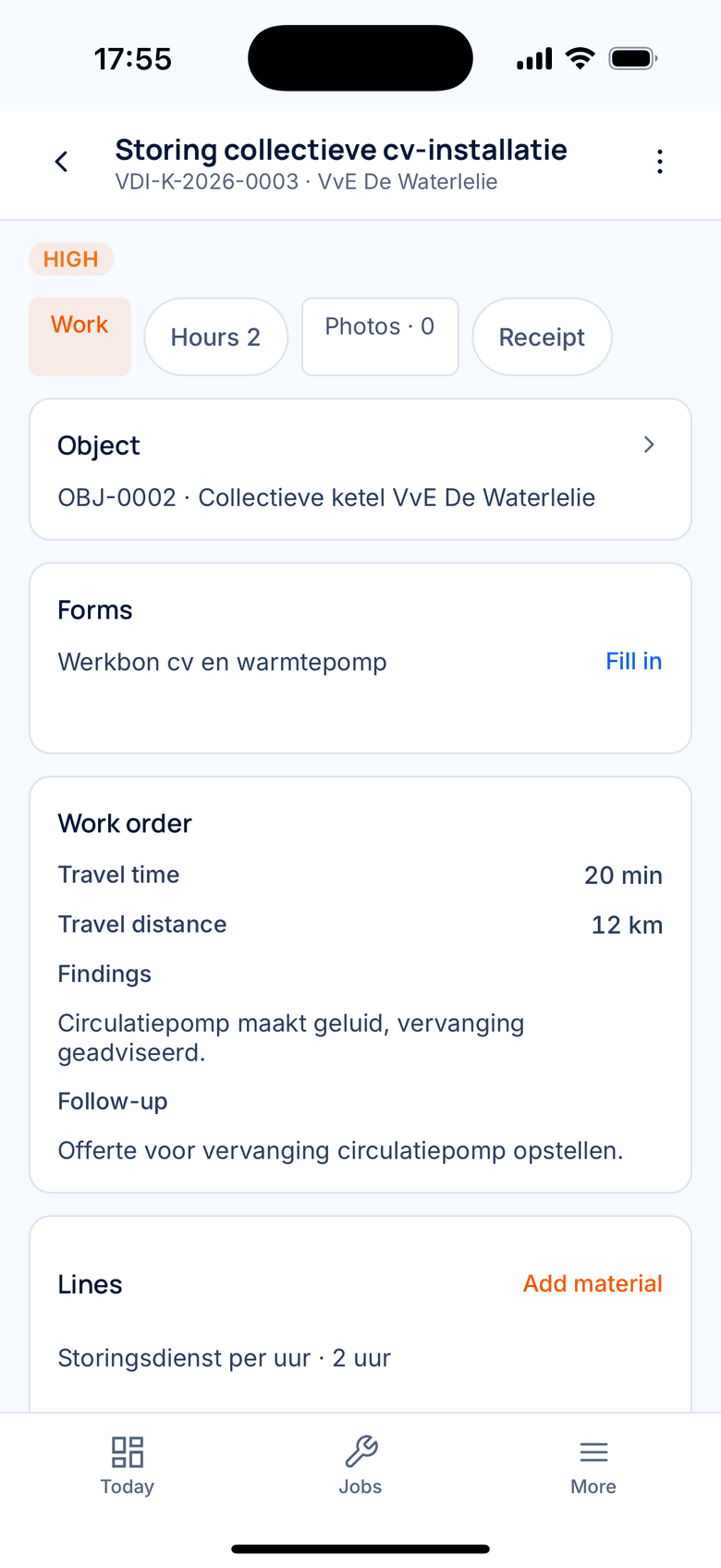
2The job
Everything about this job in one place
Address, contact person, appointment, hours, materials and photos. The engineer opens the job and knows what to expect.
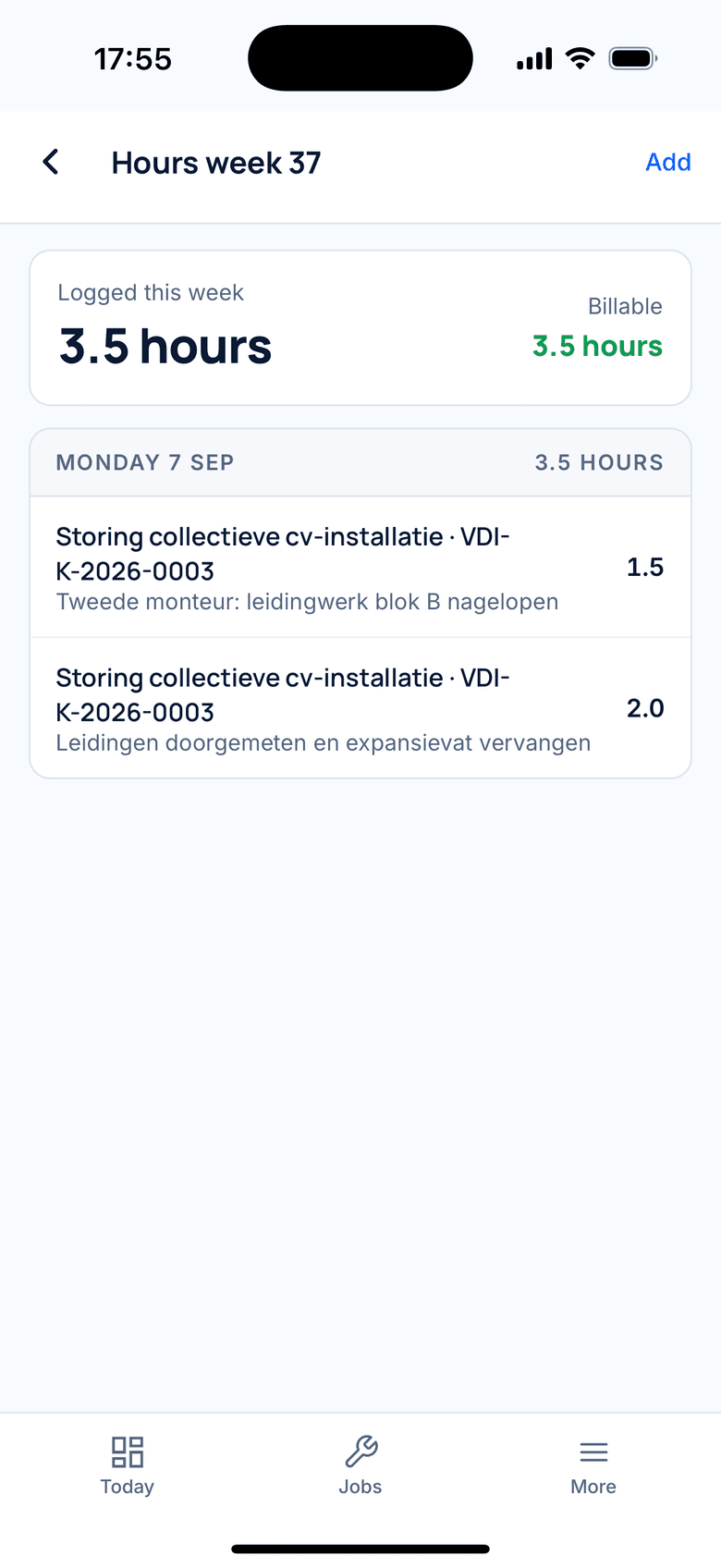
3Hours
Hours on the job, not on a scrap of paper
Start the timer on the job and stop it when you are done, or add your hours by hand. The overview adds up your week and shows what is billable.
4Job sheet
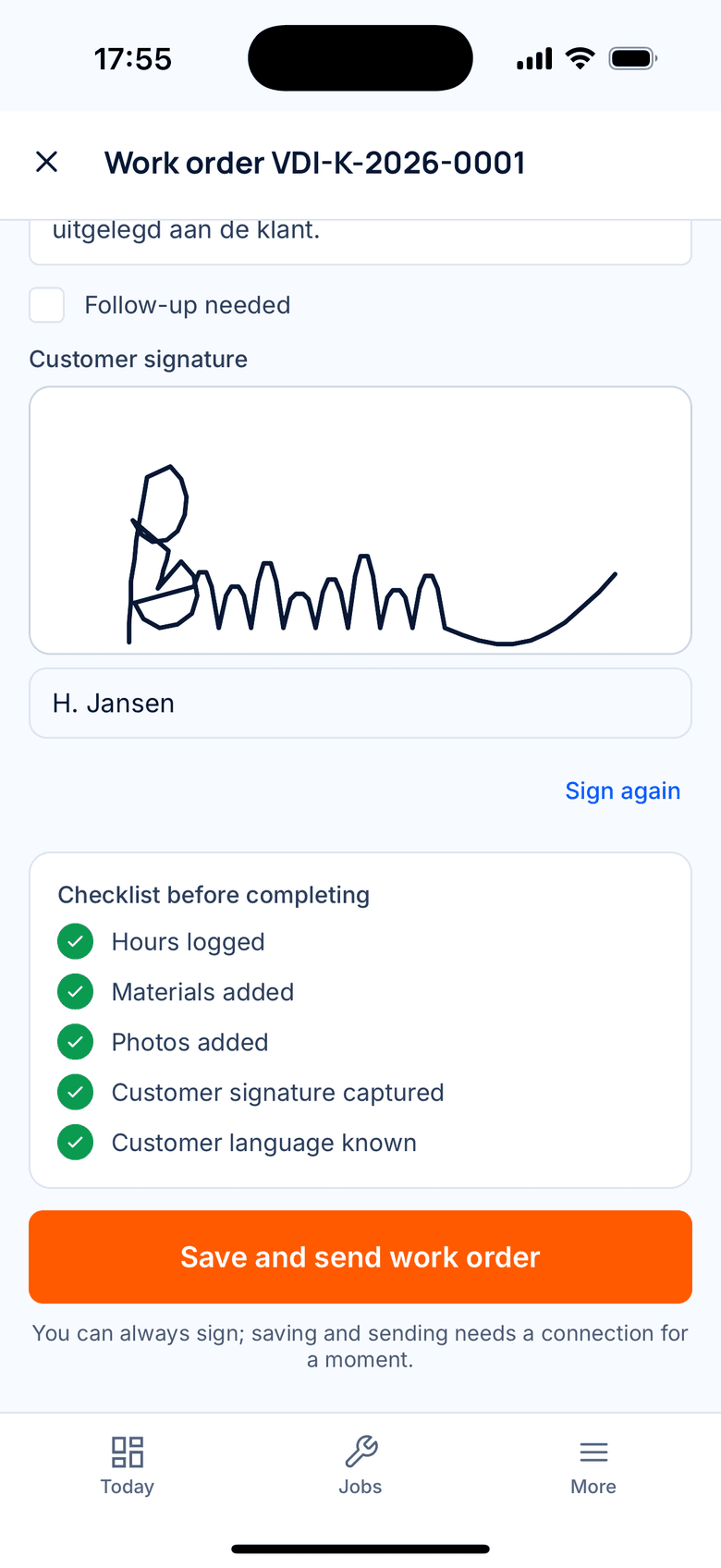
The customer signs on your screen
Hours, materials and photos on one job sheet. The customer signs with a finger and receives it straight away by email in Dutch.
5Invoice
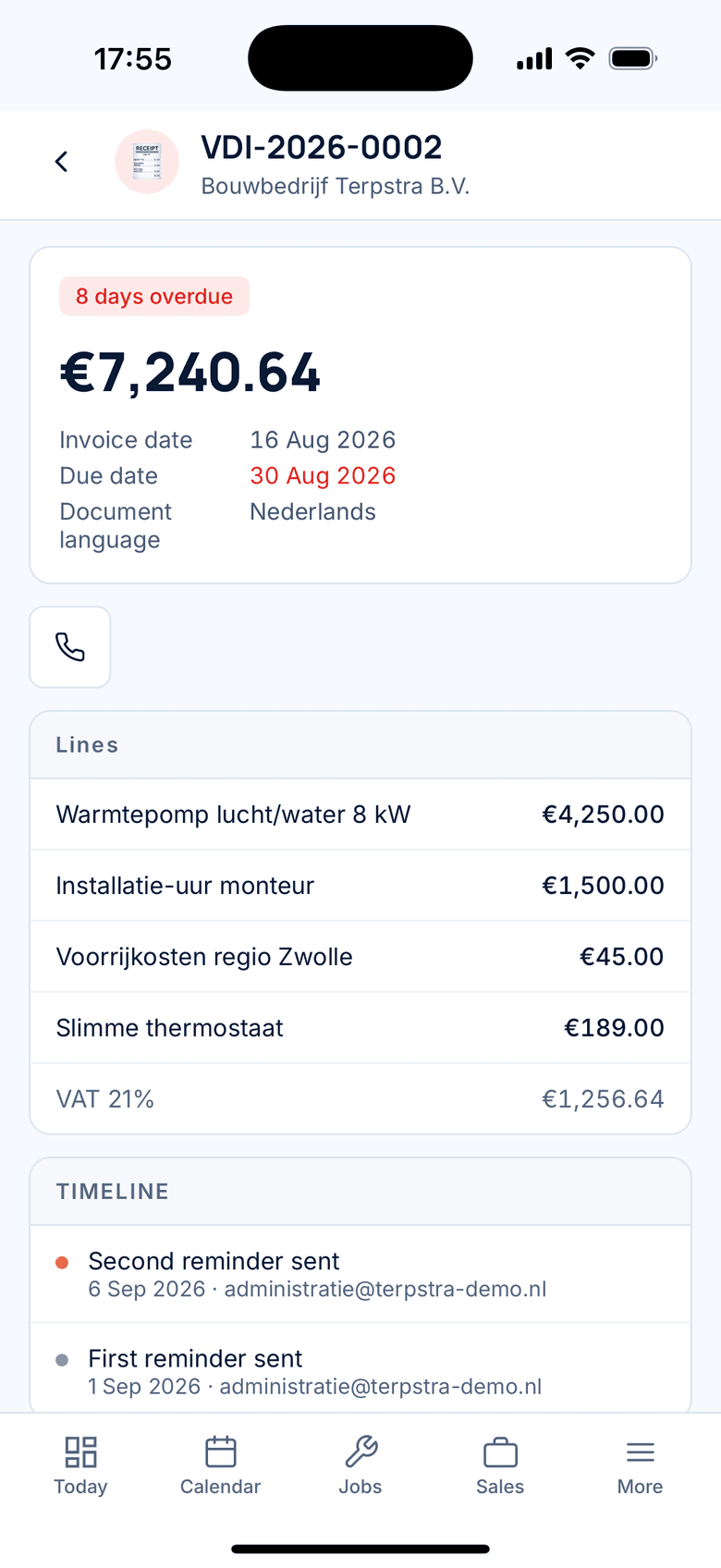
Invoiced the same day
From the signed job sheet you create the invoice, with VAT and the bookkeeping entry included. Add a payment link and send it.
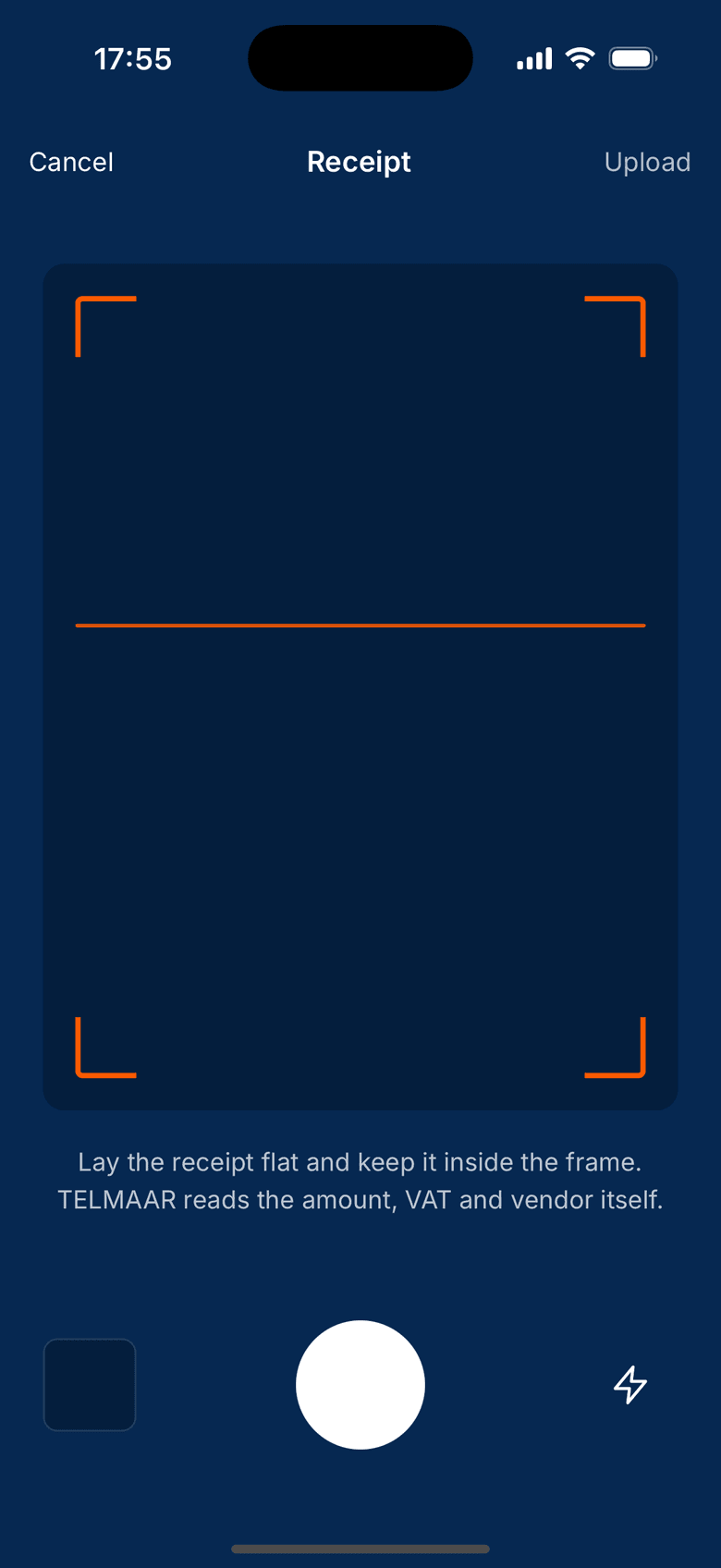
Receipts dealt with right away
Photograph the receipt at the wholesaler. The app reads the amount and the VAT from it and files it in your purchase records. No more shoebox.
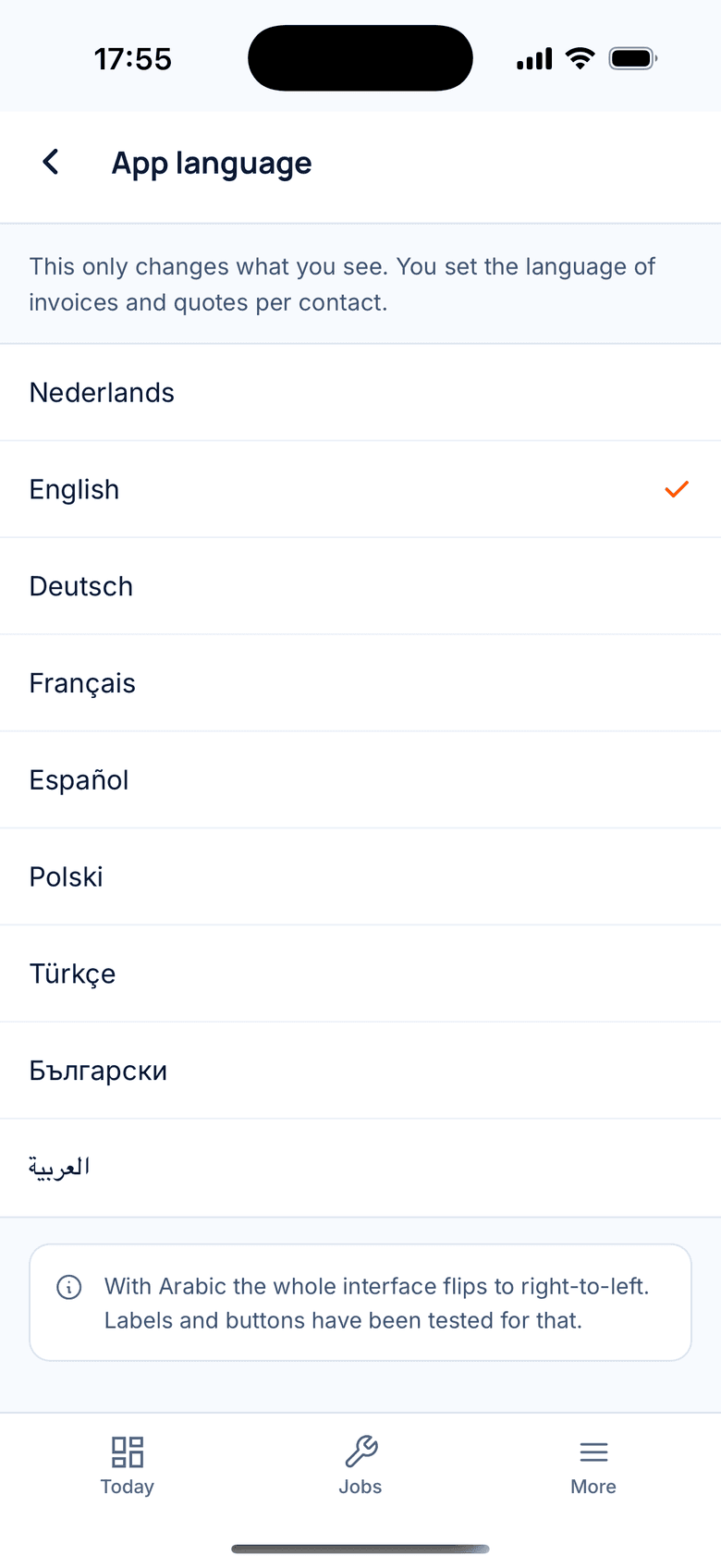
Everyone in their own language
Every employee chooses their language when logging in. Your Polish engineer works in Polish, your customer receives a Dutch invoice.
What you do on your phone
Not a stripped-down version, but the work you happen to do away from your desk.
Invoices and quotes
Finish an invoice and send it while you are still at the client. It looks exactly like the one from your laptop.
Hours and mileage
Start the timer on the job when you begin and stop it when you are done. Trips go in separately: from, to and the distance, and the app works out the allowance.
Scan receipts
Photograph the receipt. It lands in your purchase records straight away, so there is nothing left to keep.
Work orders on site
Hours, materials and photos on one order, signed by the client on your screen. One tap turns it into an invoice.
Clients at hand
Address, phone number, outstanding invoices and the previous job: it is all there before you ring the doorbell.
Update on the move
Your calendar, your jobs and your open items travel with you. Back at the office everything is already in place.
One set of books, two ways in
The app is not a separate tool you have to transfer later. It is the same administration, at the same moment.
- What you enter on your phone appears in the browser at once, and the other way round.
- The same businesses, the same numbering, the same house style on your documents.
- The same roles and permissions: whoever cannot send an invoice in the browser cannot send one on the phone either.
- Several businesses under one account, switchable on your phone as well.
In your language on your phone too
The app speaks the same 9 languages as the website. Your invoices stay Dutch or English, because those are for your client.
Read how that worksAs well protected as on your laptop
Two-factor authentication applies on your phone too, your data sits in the European Union, and every change stays visible in the audit log.
The engineer on site
Working in your own language. Your customer never notices.
On site only one thing counts: that the work is recorded properly. That works better in the language someone actually speaks. The job sheet that comes out is Dutch, with the hours, the materials and the VAT you can rely on.
Next job and navigation
The app opens on the next job, with the address, the contact and navigation one tap away.
Hours, materials and photos
Log the time worked, pick materials from the van stock and record the situation with photos.
The customer's signature
The customer signs on the screen. The job sheet is done and sits with the job right away.
Offline with sync
In a crawl space or a basement the app simply keeps working. As soon as there is a signal, everything follows.
The same job sheet, three languages
These are real screens from the app, not mock-ups.
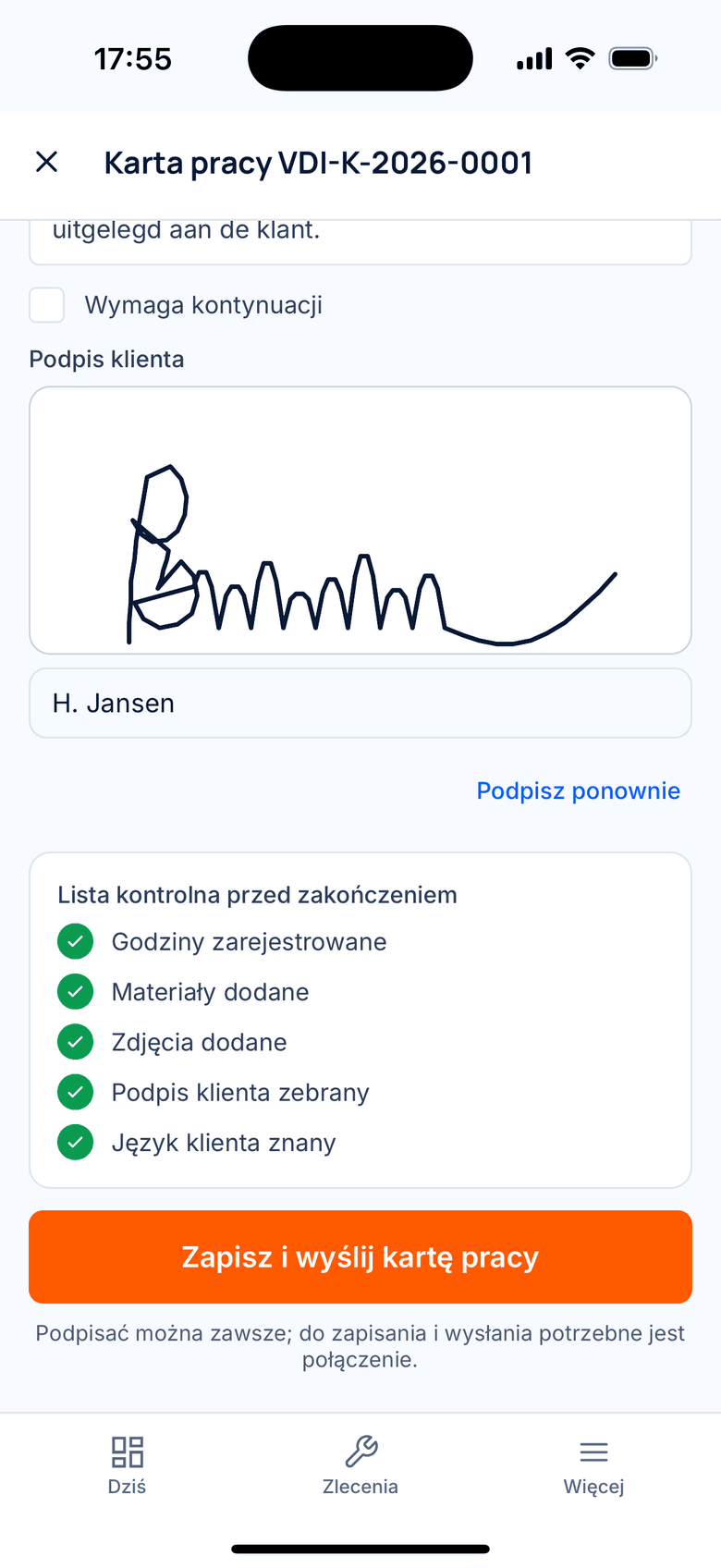
Polski
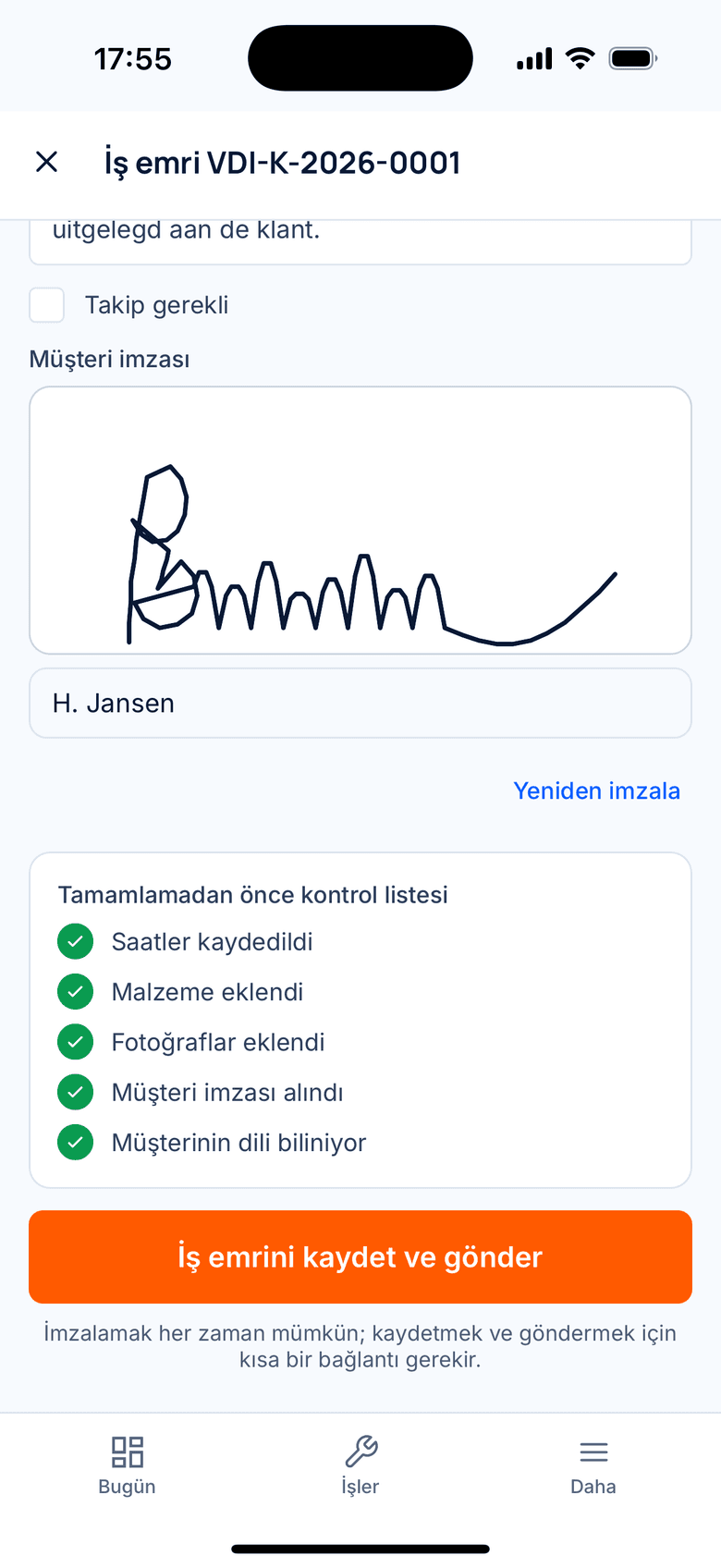
Türkçe
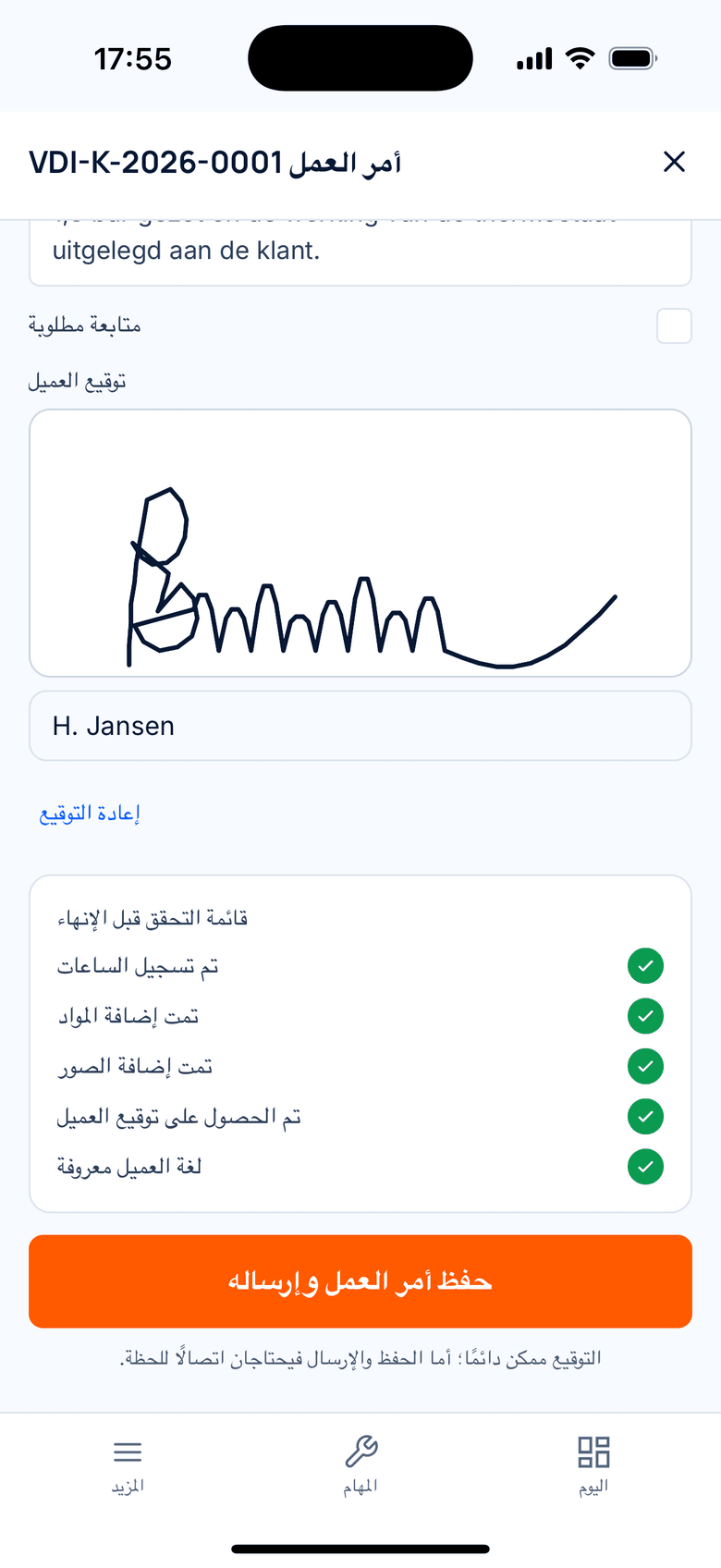
العربية
Frequently asked questions about the app
Can I create and send invoices with the app?
Yes. You finish an invoice on your phone exactly as you would in the browser and email it right away. The PDF uses the same house style and the same numbering as invoices from your laptop.
Does the app work on iPhone and Android?
Yes, TelMaar is a native app for both iPhone and Android. You can also keep working through the browser, on your laptop or tablet.
Do I have to move data between the app and the website?
No. It is one administration. What you enter on your phone is in the browser immediately, and what you do on your laptop shows on your phone straight away.
Does the app cost extra?
No. The app is part of your subscription; there is no separate charge. What your subscription costs depends on the plan you choose.
Can I have a work order signed on site?
Yes. You record hours, materials and photos on the work order and the client signs on your screen. One tap then turns it into a draft invoice.